Add a reference
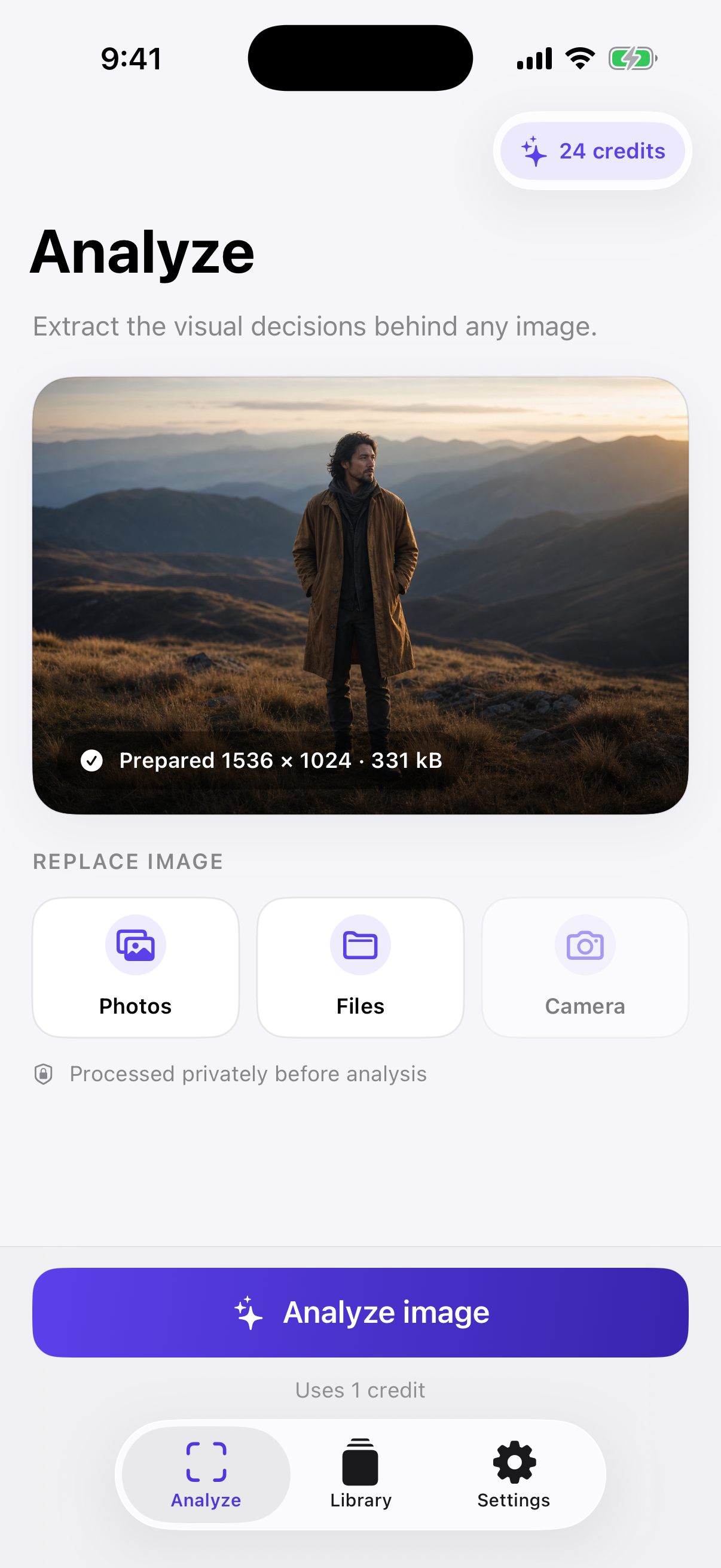
Pick from Photos or Files, capture with Camera, or send an image straight from the iOS share sheet.
PicJSON reads the visual decisions inside a reference image—subject, composition, camera, lighting, style and mood—then organizes them into a clear blueprint you can edit, copy and reuse.
PicJSON separates observation from generation. You get an editable source of truth first, then a refined JSON output for the model or workflow you choose.
Pick from Photos or Files, capture with Camera, or send an image straight from the iOS share sheet.
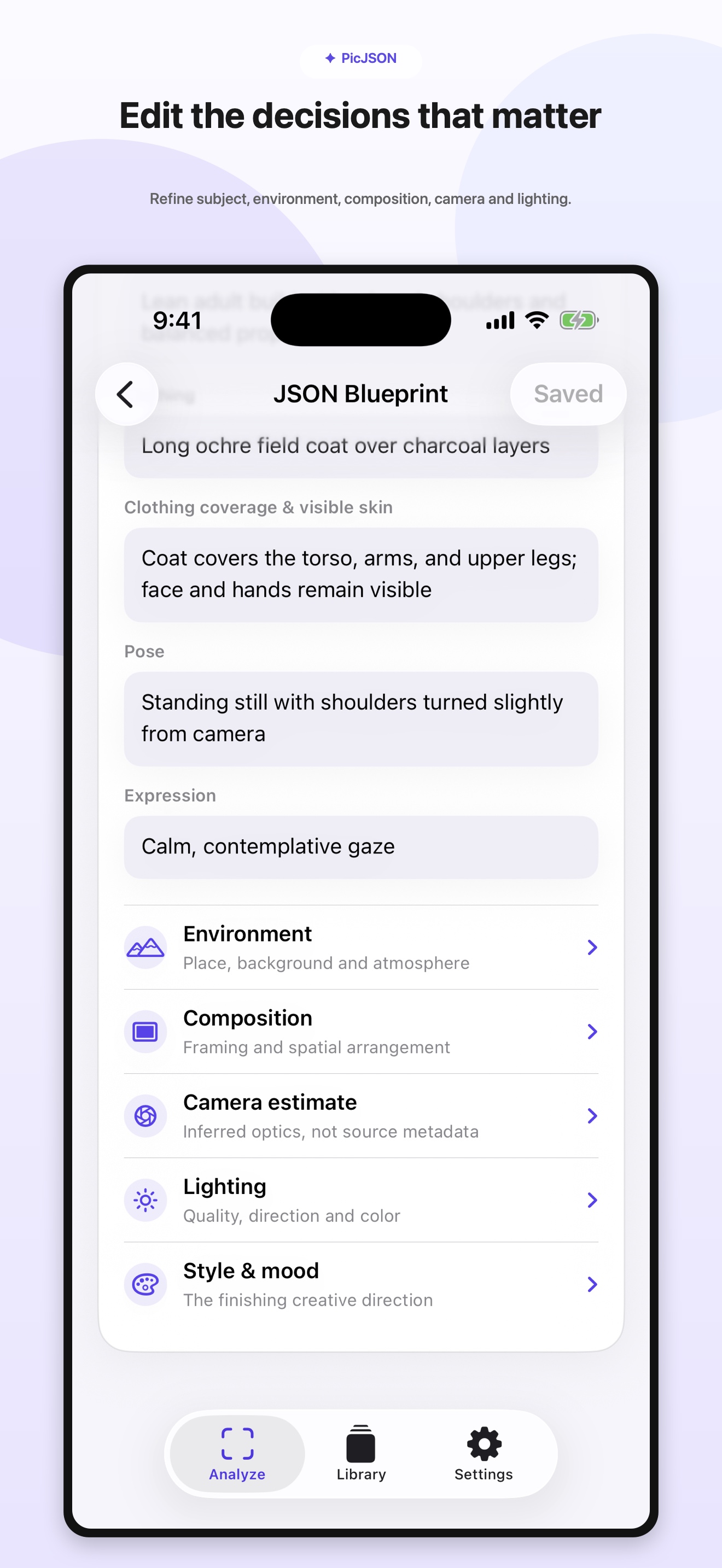
Subject details, spatial layout, estimated camera direction, light, palette, styling and mood become one structured blueprint.
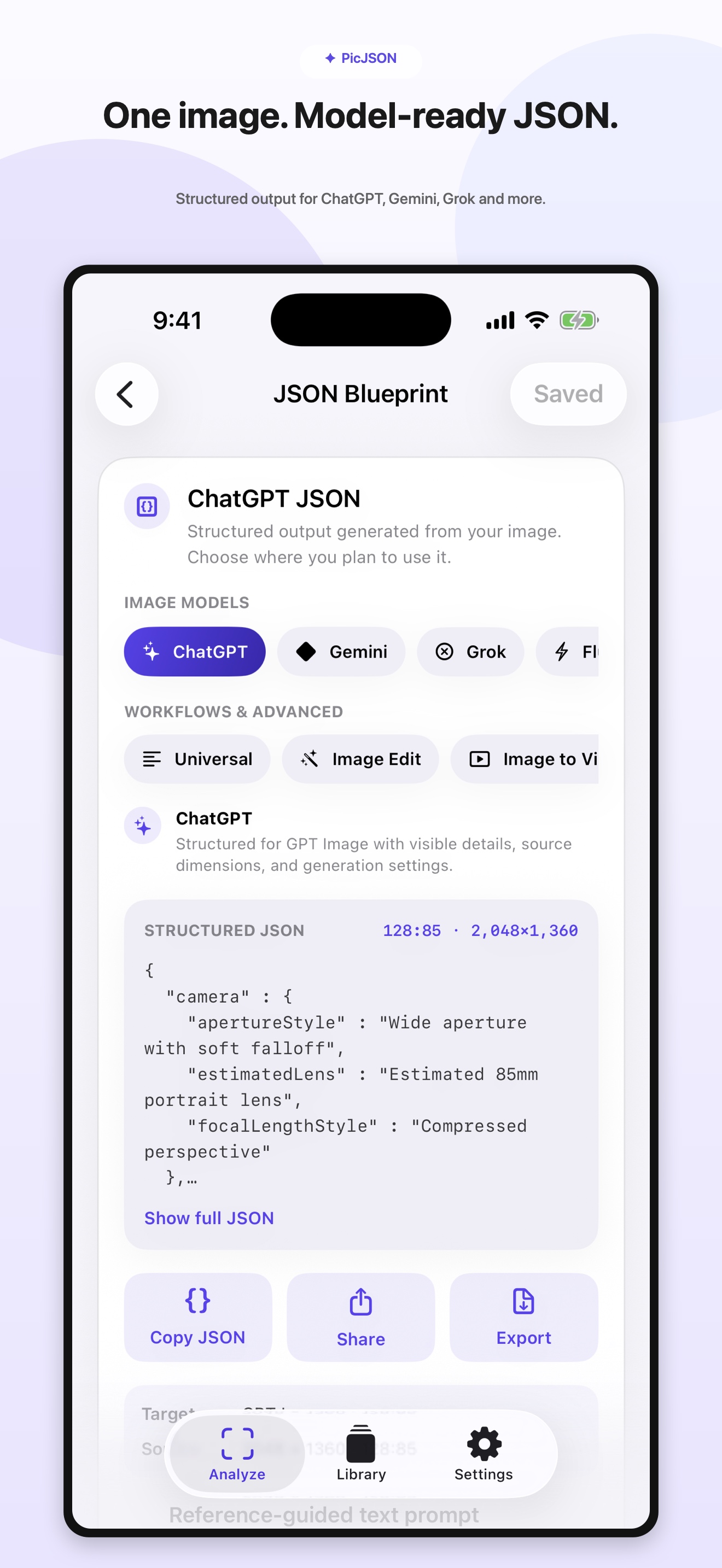
Select a destination, review its JSON, then copy, share or export it without rebuilding the visual direction by hand.
Start from the same visual blueprint and switch between structured outputs for ChatGPT, Gemini, Grok, FLUX, Midjourney, SDXL and more.
Correct the subject, background, framing, camera estimate, light or mood before you use the output.
Source width, height and exact aspect ratio travel with the JSON instead of being lost in a paragraph.
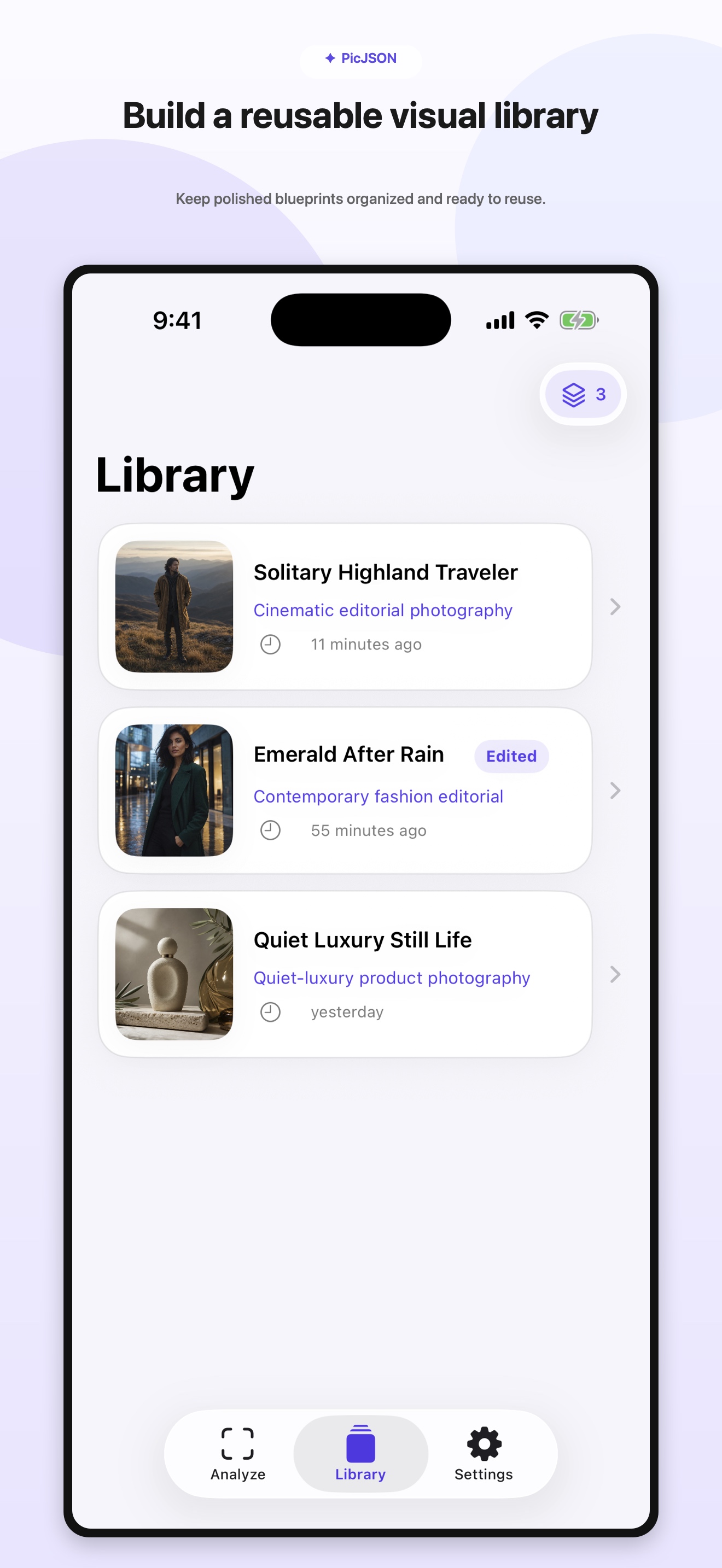
Save polished blueprints locally, identify edited versions and return to a direction whenever you need it.
Dedicated structures support image editing, image-to-video direction and advanced ComfyUI settings.
Inputs use protected private storage, are deleted after processing, and are never placed inside the iOS app with an AI secret.
Read the privacy policyThe interface keeps JSON primary, advanced text prompts optional, and every editable visual detail close at hand.
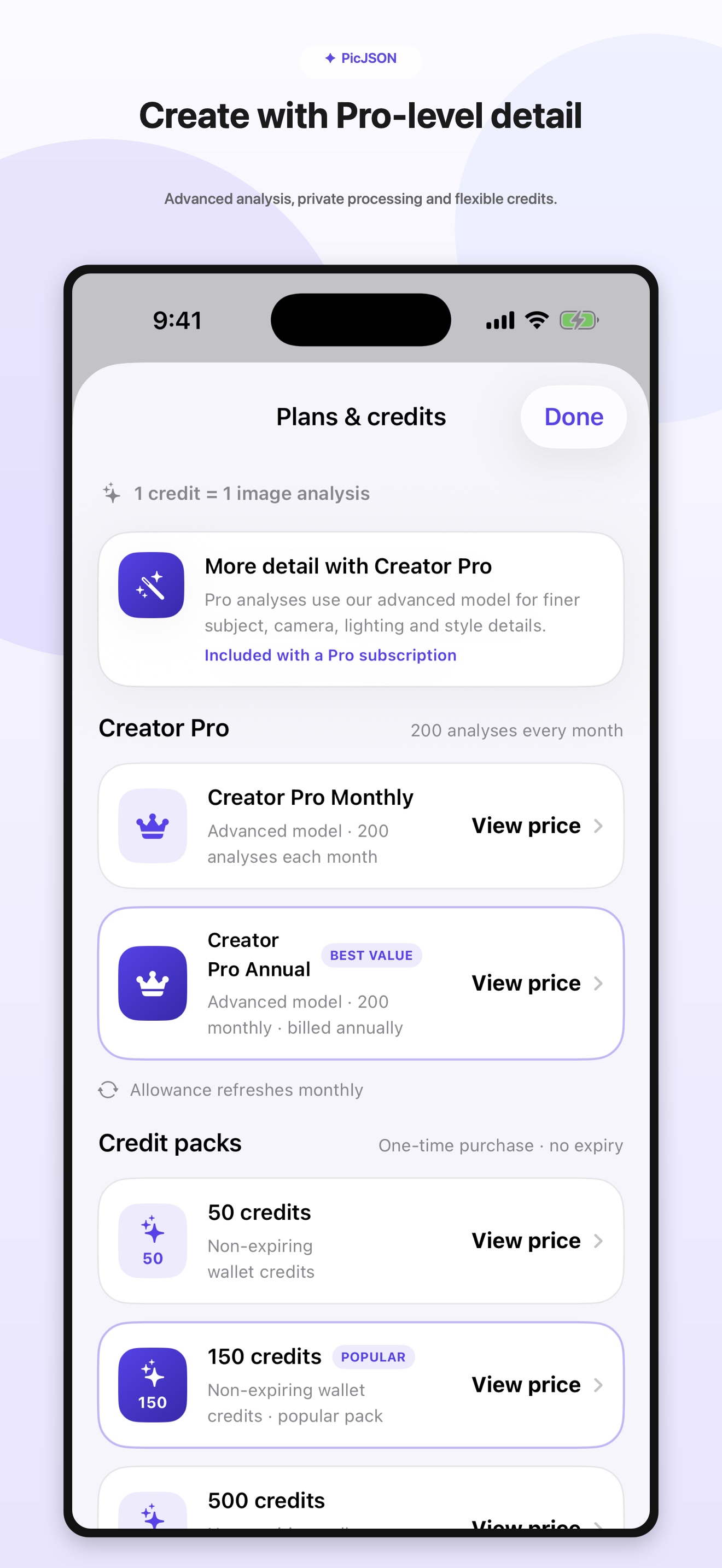
Creator Pro uses the advanced analysis route for finer subject, camera, lighting and style detail, with a monthly analysis allowance. Credit packs remain available for flexible one-time use.
PicJSON temporarily processes the image you choose to create the requested blueprint. It does not sell personal data, serve advertising or use cross-app tracking.
PicJSON analyzes a reference and creates an editable blueprint plus structured JSON. You copy that output into the compatible image or video tool you choose.
Models and workflows expect different settings and instruction shapes. PicJSON keeps one shared visual blueprint and compiles a destination-aware JSON output from it.
Choose ChatGPT, Gemini or another image model to export a self-contained scene description. You do not need to attach the source image for those outputs. Separate image-editing and animation workflows require the original image. Generated results vary by model; exact pixel matching is not guaranteed.
Visit PicJSON support for product help, account requests and privacy questions.
PicJSON for iPhone and iPad. Built for creators who want structure without losing the visual idea.